Station Master Tycoon How to Redeem Codes
Step-by-step redemption through the in-game settings menu on PC and mobile.
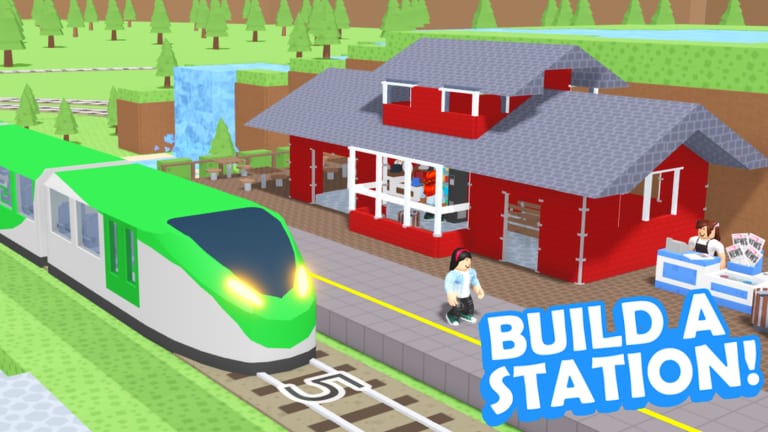
Redeeming a promo code in Station Master Tycoon takes less than a minute once you know where the menu lives. Taco Dev built redemption into the experience itself — not the Roblox account settings page, not the chat bar, and not a third-party website. Whether you play on PC or mobile, the path is the same: settings icon at the bottom → Codes → enter text → Submit Code.
This guide covers every step, common mistakes, and what to do when a code fails even though you copied it correctly. Pair it with our Active Codes list so you only try strings that are still valid.
Before you redeem
Make sure you are inside the correct experience. Station Master Tycoon is published by Taco Dev (Naco88) at place 16436846604. The game released 19 February 2024 and is free forever, so you never need a paid copy to redeem future codes.
Copy the code from a trusted source — this wiki’s Codes Hub or the Active Codes page — and paste or type it exactly. Extra spaces at the beginning or end are a common failure. Most Roblox codes are case-sensitive, so Welcome2024 and welcome2024 are not the same string.
There are no active public codes at the time of writing, but the redemption menu still exists. You can open it anytime to confirm your client is up to date after a patch.
Step-by-step redemption
On PC
- Launch Station Master Tycoon from Roblox and wait until your station loads.
- Look at the bottom of the screen for the settings icon (gear or similar).
- Click it to open the settings panel.
- Select the Codes tab or button inside that panel.
- Click the text field, paste or type the code, and press Submit Code.
- Read the confirmation popup. Successful redemption shows the reward; failure usually says the code is invalid or expired.
On mobile (phone or tablet)
- Join the same experience and let the world finish loading.
- Tap the settings icon along the bottom edge — the same placement as PC, scaled for touch.
- Tap Codes.
- Tap the input box; paste from clipboard if you copied from the wiki.
- Tap Submit Code and watch for the reward toast.
Mobile players often mistype on small keyboards. If a fresh code fails, retype it character by character instead of relying on autocorrect.
What success and failure look like
A working code immediately grants its listed reward — often cash, a cosmetic, or a boost, depending on what Taco Dev configured. Your station progress is unchanged; rewards stack on top of whatever you built during the tutorial (bench, ticket machine, bathroom, bakery, walls, paving, prefab stairs, platform, and track).
Failure messages vary by update, but the causes are predictable:
- Expired code — removed from Active Codes but still mentioned in old videos.
- Typo or wrong case — re-copy from the wiki list.
- Already redeemed — most codes are one-time per account.
- Not live yet — sometimes announced early before servers flip the flag.
Wait a few minutes and retry once if a brand-new code fails globally; Roblox experiences sometimes roll out code tables gradually.
Troubleshooting
I do not see a Codes button. After major updates, UI icons move. Scroll the bottom bar or check patch notes. Rejoin the server if you hot-joined mid-update.
Submit Code does nothing. Confirm you clicked the button after typing. On mobile, dismiss the keyboard first so the button is not obscured.
Chat codes do not work. Station Master Tycoon does not use /code chat commands. Only the settings menu path works.
Website redeemers ask for your password. Never use them. Legitimate Roblox codes for this game are entered only in-game.
After you redeem
Spend rewards on pieces that improve guest flow early. Read guest thoughts with E or tap prompts, keep amenities stocked, and aim for happy departures on trains — that is still your primary income even when codes are dry. For build order and star unlocks, see Getting Started and Guest Needs and Stars.
Return to the Codes Hub whenever Taco Dev announces a new promo. We update Active Codes first, then mirror the summary on the hub page.
Frequently Asked Questions
Quick answers for Station Master Tycoon players.
Where is the Codes menu in Station Master Tycoon?
Tap the settings icon at the bottom of the screen, then open the Codes section and press Submit Code after typing your promo string.
Why does my code say invalid?
Usually the code expired, was typed with wrong capitalization, or was already redeemed. Copy fresh from Active Codes and avoid extra spaces.
Can I redeem codes in Studio or private servers?
Promo codes typically work only in the public live experience. If redemption fails in a private test place, rejoin the main game first.
Do I need Roblox Premium to redeem?
No. The game is free forever and code redemption does not require Premium or paid access.