Station Master Tycoon Guest Feedback & Press E
Translate AI guest thoughts into fixes for seating, tickets, bathrooms, shops, and platform flow.
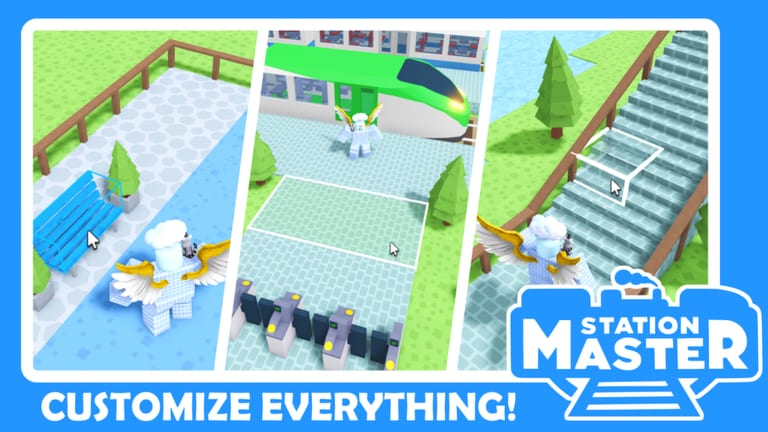
AI guests are the heartbeat of Station Master Tycoon. Taco Dev’s sandbox pays you when happy guests leave on trains, and stars unlock shops plus new build catalog tiers. Guests rarely explain problems in a menu — they show thought bubbles you inspect by pressing E on PC or tapping the prompt on mobile. Learning that feedback loop separates stations that stall at two stars from stations that fund endless expansion.
This guide maps common thought patterns to fixes aligned with Amenities Priority and Shops Tier List. Pair it with Getting Started if you have not finished the tutorial bench → ticket → bathroom → bakery chain yet.
How to read guest thoughts
- Spot a guest with a visible thought icon or idle frustration animation.
- Walk close and press E (keyboard) or follow the Interact button on touch devices.
- Read the line — it usually names a missing need, confusion, or discomfort.
- Fix one issue, wait for the next train cycle, and re-sample another guest.
Do not spam E on every NPC once per second. Guests update thoughts as they move through your layout. Follow one passenger from spawn to platform to see the full chain break.
Thought categories and fixes
Seating and rest
Symptoms — Complaints about standing too long, nowhere to sit, tired legs, or crowded platforms without benches.
Fixes — Add benches from seating areas near the platform sightline. Use the eyedropper to duplicate proven clusters. In Compact Hub layouts, ring the plaza; in Linear Platform layouts, mirror seats both sides of the queue spine.
Seating is S-tier because rest failures hit before hunger or shopping thoughts appear.
Tickets and boarding access
Symptoms — Guests mention tickets, gates, fares, or being unable to board despite visible trains.
Fixes — Place or relocate ticket machines on the path from entrance to platform mouth. Remove decor blocking machine interaction. Add a second machine if queues back up during four-player server traffic.
Ticket issues mimic shop problems but never respond to retail — verify machines before opening new stores.
Bathrooms and hygiene
Symptoms — Restroom requests, hygiene complaints, or guests aborting queues to wander sideways.
Fixes — Build bathrooms adjacent to waiting zones, not hidden behind decorative wings in early saves. For multi-level Scenic Terminal stations, put restrooms mid-spine so rear queues reach them before trains depart.
Hunger and shopping
Symptoms — Food cravings, empty stomach lines, or browsing prompts without purchase.
Fixes — Open the bakery or first food shop from Shops Tier on the main walk path. Add shop signs when unlocked. If guests want food but ignore the shop, the storefront faces the wrong direction or lacks nearby seating.
Navigation and information
Symptoms — Confusion, lost, cannot find platform, missing train info.
Fixes — Install departure boards at queue points, pave walk lanes, and wall off misleading shortcuts. Paint can mark paths if used consistently. This is where layout archetype choice matters — scenic wings need boards at every rejoin point.
Litter and atmosphere
Symptoms — Mess, lack of bins, or vague dissatisfaction after basics work.
Fixes — Platform bins, small props, and balanced decor. Lower priority than S-tier needs but useful when stars plateau despite working tickets and bathrooms.
Stars, cash, and feedback timing
Stars aggregate satisfaction across many guests. One angry thought does not crash your rating, but repeated failures on the same amenity tier drag stars down and delay shop unlocks. Cash payouts on train departures feel the same lag — fix root causes instead of stacking decor.
When stars drop suddenly, run a five-guest audit:
- Entrance guest — tickets visible?
- Mid-queue guest — seats and bathroom reachable?
- Shop-front guest — hunger satisfied?
- Platform guest — boarding clear?
- Departing guest — any last-second complaint?
Log which category repeats; that is your next build session.
Mobile vs PC interaction
Press E is PC shorthand. Mobile shows contextual buttons when you stand near interactable guests or objects. If prompts fail to appear, adjust camera angle and distance — Roblox touch hitboxes favor standing slightly off-center rather than inside props.
When feedback lies (player errors)
Sometimes thoughts persist after you fixed the issue because:
- Old guests spawned before the fix — wait for fresh spawns.
- Pathing still routes around your new bathroom — add paving arrows.
- Duplicate problems — one bathroom for three wings is not enough.
- Human players block lanes — widen spine per Players Hub server notes.
Rebuild loops belong in Guides Hub tool pages; feedback tells you what to rebuild.
Related pages
- Visiting Other Stations — compare how solved stations handle the same thoughts
- Players Hub — overview of guests and touring
- Getting Started — tutorial chain behind the mood system
- Tier List Hub — ranked fixes when multiple complaints compete
Frequently Asked Questions
Quick answers for Station Master Tycoon players.
How do I read guest thoughts in Station Master Tycoon?
Walk up to a guest showing a thought prompt and press E on PC or tap Interact on mobile. Read the line and fix the amenity or path issue it describes.
What key is Press E for guest feedback?
E is the default PC interact key for guest thoughts and many build prompts. Mobile uses on-screen buttons instead of keyboard keys.
Why are guests unhappy when my station looks finished?
Decor does not replace S-tier needs. Check seating, ticket access, bathrooms, and walk paths before adding more scenery.
Do guest complaints affect stars immediately?
Stars move with patterns across many guests. Repeated complaints about the same missing amenity tier drag stars down and slow shop unlocks.
When should I add shops based on feedback?
When hunger or shopping thoughts appear after seating, tickets, and bathrooms work. Match shop type to the thought and place storefronts on the main path.