Station Master Tycoon Visit Other Stations
Use trains to explore multiplayer servers and borrow layout ideas legally.
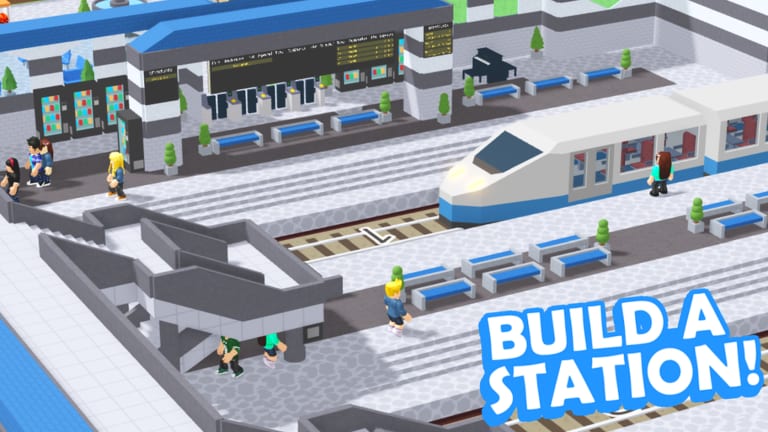
Station Master Tycoon is a social sandbox, not just a solo builder. Trains that pay you when happy guests depart can also carry you to other players’ stations on the same server—up to four players can share a session. Visiting is the fastest way to learn advanced platform stacking, bathroom placement, and shop zoning without guessing from static screenshots.
This guide explains how travel works, what to observe, and how to return home ready to edit your own plot using Rebuild Your Station and the build tools in Walls, Flooring and Paint. Read Getting Started first if you have not finished bench-through-track on your own map.
How multiplayer servers work
When you join the public experience (place 16436846604), Roblox matchmaking places you in a server with other station owners. Each player typically works on their own layout while sharing the world. Trains connect stations physically—riding one is the intended way to see someone else’s concourse, not glitching through terrain.
Because servers cap at four players, you will not tour massive crowds, but you will often see at least one veteran with elevated platforms, double stair prefabs, or clever ticket hall walls worth studying.
Riding a train to another station
Basic flow:
- Finish enough of your tutorial loop that trains run on your track (Platforms and Prefabs).
- Board a train at your platform when it stops—controls match general movement in Controls.
- Stay aboard until the route reaches another player’s station stop.
- Disembark and explore on foot; press E or tap guests here only to learn how their AI behaves—not to grief.
If a train never arrives, your home track may be misaligned; fix alignment before blaming multiplayer. Unhappy guests at home also mean you should read Guest Needs and Stars before touring.
What to look for while visiting
Treat visits as research, not tourism only:
Guest path from spawn to platform — note paving color changes and wall gaps veterans use to steer traffic.
Bathroom placement relative to bakery — compare distance; too far kills stars, too close clogs halls.
Prefab stair count — elevated platforms often use two stairs; copy the idea if your single stair bottlenecks.
Ticket machine rotation — see how hosts orient machines toward queues.
Shop unlock usage — which star-tier shops they placed first and where.
Platform length vs train size — helps when you extend track at home.
Take mental notes or screenshots externally if allowed by your device; the game does not require copying exact coordinates—adapt ideas to your star tier and unlocked shops.
Etiquette and expectations
You cannot permanently edit someone else’s station. Respect other players building in the same server—blocking trains or harassing guests adds nothing to your progression. If a station looks unfinished, they may still be in tutorial bench-through-bakery phase; move on politely.
Visiting does not transfer cash or stars between accounts. You bring home knowledge, not currency. Optional Codes rewards still redeem only on your account through settings.
Returning home to apply ideas
After a visit:
- Rejoin or respawn at your station if travel disoriented you.
- Identify one change to implement—extra paving strip, rotated ticket machine, second stair prefab—not ten at once.
- Use Rebuild Your Station planning to avoid deleting bathrooms accidentally.
- Re-test guest thoughts with E or tap after each change.
Importing an entire foreign layout rarely works because star unlocks and shop tiers differ between accounts. Slice ideas instead of cloning whole concourses.
When visiting helps most
Stuck stars — see how others connect bakery, bathroom, and platform stairs without dead ends.
Ugly but functional station — borrow paint zoning from prettier hosts while keeping your working amenities.
Before big remodel — scout platform heights and track curves you want to mimic.
After tutorial completion — motivation spike when you see what prefabs enable beyond brick drag basics.
Limits of train travel
Trains require functioning track at both ends in that server instance. If another player has not built platforms yet, routes may feel empty—try another server via rejoin. Updates from Taco Dev can tweak train timing; check the Guides Hub after patches for changes to travel or caps.
Related guides
- Platforms and Prefabs — build boarding areas worth departing from
- Controls — board trains on PC and mobile
- Guest Needs and Stars — fix home economy before copying foreign layouts
Ride trains often. The best Station Master Tycoon lessons are stations other players already stress-tested with real AI guests.
Frequently Asked Questions
Quick answers for Station Master Tycoon players.
How do I visit another player's station in Station Master Tycoon?
Board a train on your working track and ride it to another stop on the same server. Up to four players can share a session.
Do I keep cash or stars from other players' stations?
No. Visiting is for learning layouts. Your economy progresses on your own station when happy guests leave on your trains.
Why does no train arrive when I want to travel?
Check track and platform alignment at home first. Misaligned rails or unfinished tutorial track block the travel loop.
Can I edit someone else's station?
No. You can only observe. Apply ideas on your own plot using rebuild and build tools after you return.