Station Master Tycoon Getting Started Guide
From first spawn through bench, bakery, walls, prefab stairs, platform, and track.
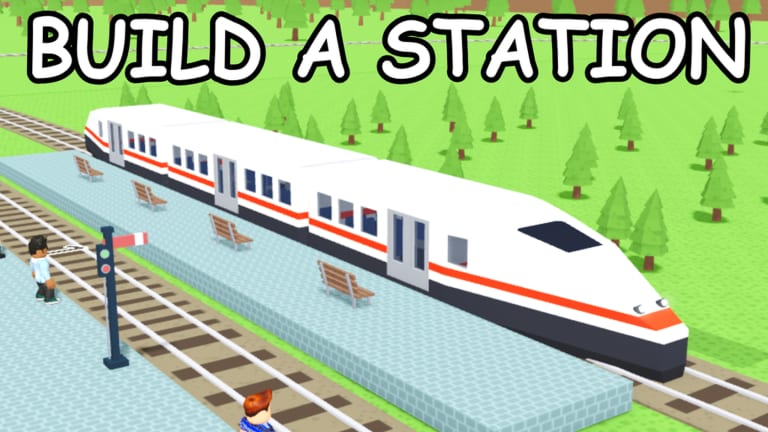
Station Master Tycoon is a free forever Roblox sandbox by Taco Dev where you design a working train station, serve AI guests, and earn cash when happy visitors leave on trains. Stars from satisfied guests unlock new shops and amenities. This guide walks through your first session—from joining the experience to finishing the built-in tutorial chain—so you spend less time guessing and more time expanding a station that looks good and pays well.
If you have never played a station builder before, treat the game like a creative tycoon: you place furniture and structure, guests react with visible needs, and trains are both your income engine and your ticket to visit other players’ builds. Bookmark the Guides Hub for deeper topics after this page.
What you are building toward
Your opening goal is not a perfect skyline. It is a loop that actually runs:
- Guests arrive and sit, shop, eat, or use facilities you placed.
- You read their needs (press E on PC or tap prompts on mobile—see Controls).
- They become happy enough to board a train.
- Cash lands when they depart, and star progress unlocks the next shop tier in Guest Needs and Stars.
Miss a bathroom or ticket machine and the loop stalls. Follow the tutorial order before improvising a mega concourse.
Join the game
Open Station Master Tycoon on Roblox (place 16436846604). The game loads your personal station slot. Up to four players can share a server, which matters later when you Visit Other Stations by riding trains.
On first launch, the in-game tutorial pins objectives to the screen. Do not skip them. They teach the exact build sequence Taco Dev expects: bench → ticket machine → bathroom → bakery → brick wall drag → paving → prefab stairs → platform and track. That order mirrors how real guest flow works—somewhere to wait, a ticket interaction, hygiene, food, then secure structure and finally transit.
Tutorial walkthrough step by step
Bench. Guests need a place to sit while they decide what to do next. Place the bench where foot traffic naturally passes—near the eventual ticket area, not hidden behind walls.
Ticket machine. This is often the first paid interaction in the loop. Position it within a few steps of the bench so guests do not wander into dead corners.
Bathroom. Hygiene need is common early. Tuck bathrooms where they are easy to find but not blocking main corridors. A guest who cannot find a bathroom will show frustrated thoughts when you press E or tap them.
Bakery. Food satisfies another core need and pairs well with star progression. Keep bakery counters facing open space so AI pathing stays smooth.
Brick wall drag. The tutorial introduces walls tooling. Drag brick sections to define rooms and hallways. Enclosure makes the station readable to guests and to you when you later Rebuild Your Station.
Paving. Flooring and path tools distinguish walkways from decorative areas. Clear paving reduces confused wandering between bench, tickets, and bakery.
Prefab stairs. Prefabs speed vertical layout without hand-building every step. Stairs matter when you raise platforms above ground level; see Platforms and Prefabs for advanced placement.
Platform and track. The closing tutorial beats connect guests to income. A platform without aligned track will not move the economy. Place track so a train can stop flush with the platform edge you built.
When the chain completes, run a mental test: walk bench → ticket → bathroom → bakery → platform in your head. If any leg feels awkward, fix it before unlocking expensive shops.
Build tools you will use immediately
Even in hour one you touch most of the tool palette documented in Walls, Flooring and Paint:
- Eyedropper — copy a material or color from an existing piece instead of hunting palettes.
- Paint — recolor walls, floors, or props for readable zones (ticketing blue, food area warm tones).
- Rotate — snap benches, machines, and prefabs to face traffic.
- Walls — drag brick or other wall types to shape rooms.
- Flooring — pave guest paths separately from staff-only zones if you like theming.
- Prefabs — place stairs, kiosks, and other multi-part pieces quickly.
Do not fight the rotate tool early. A ticket machine facing a wall is the most common new-player bug.
Economy and stars in your first hour
Cash comes from happy guests leaving on trains, not from placing decorations alone. Stars unlock shops and higher-tier amenities. If revenue feels slow, the problem is almost always guest happiness, not missing a secret trick. Read thoughts with E or tap, fix the missing need, and send guests toward the platform you built in the tutorial.
Optional: check Codes for promo rewards when Taco Dev publishes them—they are not required for progression.
After the tutorial
Once bench-through-track is stable:
- Expand guest services using star unlocks (Guest Needs and Stars).
- Refine structure with walls and paint (Walls, Flooring and Paint).
- Extend platforms for longer trains (Platforms and Prefabs).
- Hop a train to compare layouts (Visit Other Stations).
- Tear down mistakes without rage-quitting (Rebuild Your Station).
Common first-hour mistakes
Skipping bathroom or bakery — stars stall because needs stay red.
Platform before paths — guests reach the track but never looked happy along the way.
Decorating before loop works — pretty stations with empty tills teach bad habits.
Ignoring thoughts — the game tells you exactly what is wrong if you press E or tap.
Stick to the tutorial sequence, then iterate. Station Master Tycoon rewards readable layouts more than speed-building.
Frequently Asked Questions
Quick answers for Station Master Tycoon players.
What is the Station Master Tycoon tutorial build order?
Bench, ticket machine, bathroom, bakery, brick wall drag, paving, prefab stairs, then platform and track. That sequence matches how guests move from waiting to boarding.
How do I earn cash in the first hour?
Keep guests happy through the amenities you placed, then send them to your platform. Cash pays out when satisfied visitors leave on trains, not when you place decor alone.
How do I see what a guest needs?
Press E on PC or tap the guest on mobile to read their thoughts. Fix the missing need—often bathroom, food, or ticketing—before expecting star progress.
Which guide should I read after this page?
Guest Needs and Stars for ratings and shop unlocks, then Controls for the full PC and mobile tool list.