Station Master Tycoon Scenery and Decoration
Make your station memorable after benches, tickets, bathrooms, and platforms already earn stars.
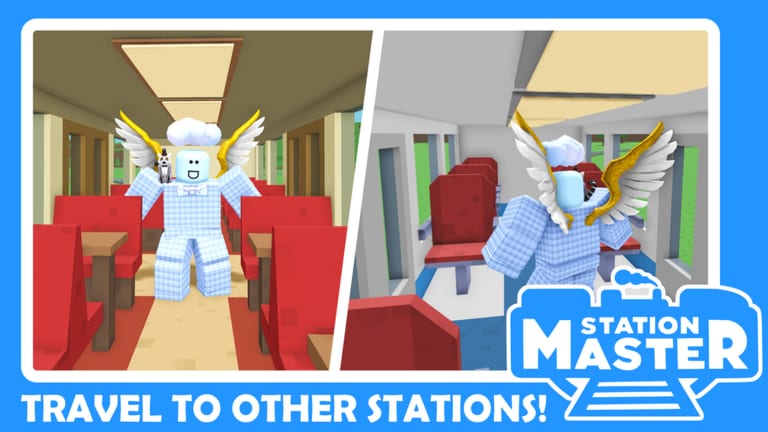
A beautiful Station Master Tycoon station still needs working bathrooms. Taco Dev’s free forever Roblox sandbox (place 16436846604) gives you walls, flooring, paint, eyedropper, rotate, prefabs, and star-unlocked props—but scenery pays off only after guest flow earns cash. This guide covers when to decorate, how to use paint for wayfinding, which props matter for showcase visits, and how Classic Pack and Funky Flooring gamepasses fit a free-to-play styling path from Walls, Flooring and Paint.
If stars stall or thoughts stay angry, pause decor and read Guest Needs and Stars and Common Mistakes before buying cosmetic passes from Gamepasses.
The golden rule: flow first, scenery second
Decoration-first builds look incredible in lobby thumbnails and fail in tycoon income. Follow this sequence:
- Complete tutorial amenities (Getting Started).
- Confirm paved paths from spawn through services to platform.
- Stabilize stars and cash (Earn Cash Faster).
- Then theme concourses, add props, and run paint passes.
Skipping steps one through three is the top reason players ask why pretty stations earn nothing. Scenery supports identity; it does not replace ticket machines.
Paint as wayfinding, not only art
Paint and eyedropper tools mark zones guests and you can read at a glance:
- Ticketing — cool or high-contrast tones near machines.
- Food — warm colors around bakery and star-unlocked shops (Shops Tier List).
- Platform approach — distinct paving stripes on stairs and hall mouths.
- Staff or back-of-house — muted tones for areas guests should not enter.
When paint clarifies lanes, it behaves like an A-tier amenity from Amenities Priority. When paint covers broken pathing, it is C-tier flex that hides D-tier layout errors.
Walls, flooring, and prefab framing
Use walls to frame vistas, not to trap guests. Open concourses with partial height walls guide sightlines toward departure boards and platforms. Flooring transitions signal “enter shop” versus “walk through.” Prefabs—stairs, kiosks, canopies—anchor scenic focal points when placed on fully paved landings (Platforms and Prefabs).
Rebuild projects (Rebuild Your Station) often start with a paint-and-wall pass after moving bathrooms back online. Never delete the only stair for a photo angle.
Props, trees, and platform clutter
Community showcase stations mix bins, seating variants, departure boards, pianos, ducks, and greenery. Tier reality:
- Bins and boards — low-cost clarity on busy platforms.
- Extra seating styles — duplicate function of tutorial benches; add when stars allow.
- Pianos and novelty props — memorable for human visitors on Visit Other Stations rides; rarely fix angry thoughts.
Place props off the critical path. A planter blocking a ticket queue is a decoration mistake, not art.
Classic Pack context (~180 Robux)
The Classic Pack gamepass bundles traditional materials and props suited to brick-and-tile terminals. Buy when:
- Your loop already earns in Earn Cash Faster.
- You want cohesive vintage theming without hunting scattered catalog pieces.
- You plan a scenic terminal from Layout Archetypes.
Free alternative: tutorial brick wall drag plus base paint already reads “classic station.” See Gamepasses Tier List for value rank.
Funky Flooring context (~160 Robux)
Funky Flooring adds patterns and colors beyond base paving—ideal for zoning large concourses after expansion passes. Buy when:
- Plot Expansion or Extra Platforms from Gamepasses created space that needs visual separation.
- You already marked lanes with free flooring and need variety.
Do not buy Funky Flooring to compensate for unpaved grass shortcuts guests take between bakery and platform.
Scenic terminal workflow
For showcase-focused builders:
- Lock a layout archetype—often scenic terminal—with working S-tier amenities.
- Build a foreground path guests actually use; decorate background plazas separately.
- Align train cosmetics (Sleeper or Bullet Train passes) with theme—cosmetic only, no income change.
- Test thoughts after adding each prop cluster.
- Invite friends on four-player servers to ride trains in and out.
Income may plateau while satisfaction stays high—that is acceptable for creative projects if you accept tycoon tradeoffs.
Multiplayer and visiting
Human players judge scenery instantly; AI guests judge pathing. When touring other stations, photograph prop placement but verify how owners paved approaches. Copy spacing, not prop density, when returning home.
Related pages
- Walls, Flooring and Paint — tool reference for structure and recolor
- Earn Cash Faster — when decoration should wait
- Gamepasses — Classic Pack, Funky Flooring, plot and train options
- Guides Hub — full walkthrough index
Scenery is the reward layer in Station Master Tycoon. Earn the right to decorate by fixing thoughts first; then paint, prop, and pack your station into something guests—and visiting builders—remember.
Frequently Asked Questions
Quick answers for Station Master Tycoon players.
When should I start decorating my station?
After tutorial amenities work, paths are paved, and stars or cash rise steadily. Decoration before that often hides missing bathrooms or ticket access.
Do props increase stars or cash?
Props mainly affect showcase appeal. Stars and cash still depend on core needs—seating, tickets, bathrooms, food, and clear routes to trains.
Are Classic Pack and Funky Flooring required?
No. Both are optional Robux cosmetics. Base walls, flooring, and paint handle functional theming; passes add variety and bundled styles.
Can paint help guest navigation?
Yes, when used as wayfinding—distinct colors for ticketing, food, and platform routes. Paint that only hides layout problems does not help income.
What scenery mistakes should I avoid?
Blocking paths with props, deleting stairs for aesthetics, and decorating before bathrooms work. See Common Mistakes for a full checklist.