Station Master Tycoon Guides & Walkthroughs
Every Station Master Tycoon tutorial in one place—from first bench to gamepasses, cash loops, and scenery polish.
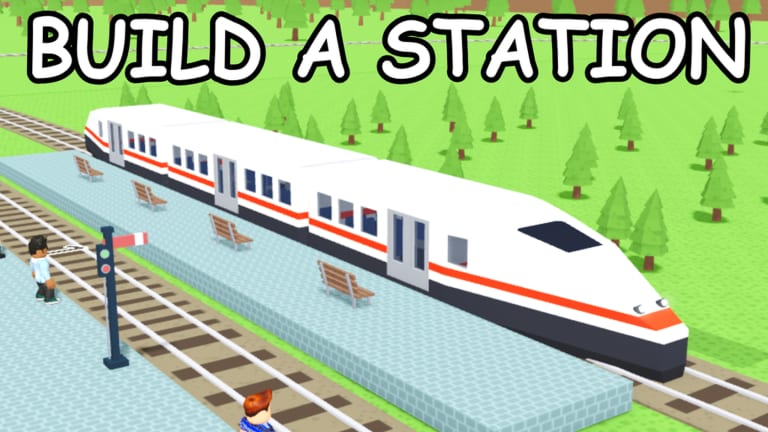
Station Master Tycoon is a free forever Roblox sandbox by Taco Dev (place 16436846604, roughly 2.45M visits and 75.5k favorites as of August 2026) where up to four players per server build train stations, serve AI guests, and earn cash when happy visitors leave on trains. Stars unlock shops and better amenities. This hub collects every walkthrough on the wiki—eleven focused guides plus cross-links—so you jump straight to the topic you need without scrolling random forum threads.
If you are brand new, start with Getting Started. It follows the in-game tutorial order—bench, ticket machine, bathroom, bakery, brick walls, paving, prefab stairs, platform, and track—and explains how those pieces connect to income. After that, read Guest Needs and Stars so you understand why guests complain and how star ratings open the next shop tier.
Build and design guides
Station layout is half the game. Platforms and Prefabs covers track alignment, platform length, and prefab stairs so trains stop where guests expect. Walls, Flooring and Paint walks through the eyedropper, paint, rotate, walls, flooring, and prefab tools introduced during the tutorial drag-and-pave steps. Together they help you shape readable concourses instead of maze-like dead ends.
When a wing does not flow, Rebuild Your Station explains how to expand or tear down sections without breaking the guest loop you already earned—now with a rebuild video walkthrough embedded on that page. Small pathing fixes often beat flattening the entire plot.
Economy, mistakes, and optional spending
Earn Cash Faster is the income deep dive: guest happiness, star-gated shops, departure throughput, and why decoration-first stations earn nothing. Pair it with Common Mistakes when revenue or stars stall despite a “finished” look—missing bathrooms, blocked paths, wrong-facing machines, and early Infinite Cash buys top that list.
Robux is never required. Gamepasses documents every known pass—Plot Expansion, Extra Height, Extra Platforms, Classic Pack, Funky Flooring, Sleeper Train, Bullet Train, and Infinite Cash—with F2P alternatives and purchase timing. Rankings live on Gamepasses Tier List.
Once flow earns reliably, Scenery and Decoration covers paint wayfinding, props, and how cosmetic packs fit a free styling path.
Social play and controls
Up to four players can share a server. Visit Other Stations shows how to ride trains to someone else’s build, what to look for when borrowing ideas, and how to return home without losing progress. Before you travel, bookmark Controls for the full PC and mobile reference—build tools, camera, E or tap for guest thoughts, and the settings menu where Codes redeem when Taco Dev publishes promos (none active publicly as of August 2026).
Recommended reading order
- Getting Started — tutorial chain and first-hour checklist
- Guest Needs and Stars — thoughts, happiness, cash on departure
- Controls — PC keys and mobile taps in one table
- Platforms and Prefabs — tracks, stairs, and platform sizing
- Walls, Flooring and Paint — structure, paths, and recolor workflow
- Earn Cash Faster — star unlocks and departure throughput
- Common Mistakes — fix stalls before spending Robux
- Visit Other Stations — multiplayer trains and inspiration runs
- Rebuild Your Station — remodel without stalling stars
- Gamepasses — optional plot, train, and cosmetic passes
- Scenery and Decoration — theming after function works
What each guide answers
Getting Started is the only page here with a dedicated beginner video. Guest Needs and Stars is featured because almost every revenue problem traces back to unread thoughts or a missing bathroom. Earn Cash and Common Mistakes split theory versus symptoms when tills stay empty. Platform and prefab pages help when guests reach the track but never board happy. Walls and paint matter once you outgrow tutorial brick. Gamepasses and scenery pages assume you already run the loop. Visiting and rebuild pages support mid-game players who earn cash but want efficiency or a prettier layout.
Cross-link between sibling guides whenever a section mentions another mechanic—the wiki is built for hopping, not reading front to back in one sitting. Every URL on this site uses a trailing slash; follow that pattern when sharing links with friends.
Related wiki sections
Promo codes live under Codes with How to Redeem Codes when strings go live. Tier List Hub ranks amenities, shops, layouts, and gamepass value. Scripts, tools, and update notes sit in their own hubs. Return here after patches; we expand sections when Taco Dev adds tools or tutorial steps.
Frequently Asked Questions
Quick answers for Station Master Tycoon players.
Which Station Master Tycoon guide should I read first?
Start with Getting Started if you are new. It mirrors the in-game tutorial from bench through platform and track, then points you to guest needs and build tools.
How do stars and shops connect to these guides?
Guest Needs and Stars explains the rating system. Earn Cash Faster and Common Mistakes help when stars or revenue stall despite a finished-looking station.
Do I need gamepasses to use these guides?
No. The game is free forever. The Gamepasses guide and Gamepasses Tier List cover optional Robux purchases after you understand guest flow.
Where are PC and mobile controls listed?
The Controls guide lists build tools, guest thought prompts, camera movement, and settings—including the Codes tab—for both input types.
When should I read Scenery and Decoration?
After tutorial amenities work and cash or stars rise steadily. Scenery rewards functional stations; it does not replace bathrooms or ticket machines.