Station Master Tycoon Guest Needs and Stars
Read thoughts, fix amenities, and turn star progress into shop unlocks.
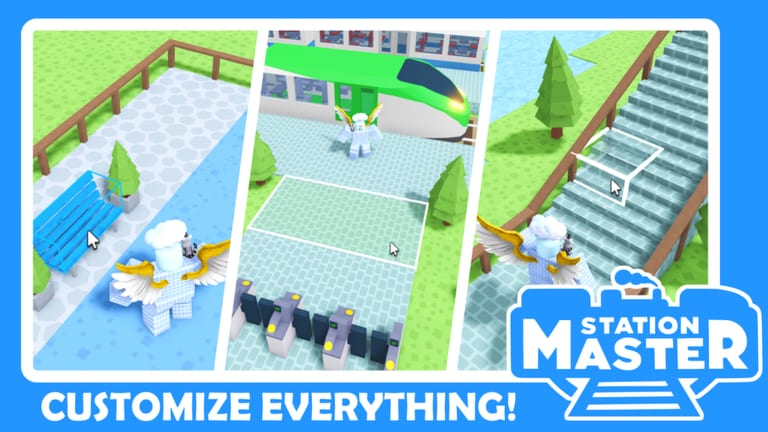
In Station Master Tycoon, AI guests are not decorative—they are your economy. Each visitor arrives with needs, expresses them as thoughts you can read, and pays out cash when they leave happy on a train. Stars track how well you satisfy those needs over time and unlock shops plus higher-tier amenities. Understanding that loop separates stations that stall after the tutorial from stations that fund constant remodeling.
This guide explains how needs appear, how stars climb, and how to fix the bottlenecks new builders hit after placing bench, ticket machine, bathroom, and bakery pieces from Getting Started. Pair it with Controls for the exact E key and mobile tap inputs.
The guest happiness loop
Think of every visitor as a short checklist:
- Arrive — they enter your concourse and pick a goal (sit, buy food, use facilities, reach the platform).
- Signal — they show a need through body language and readable thoughts when you interact.
- Resolve — you already placed—or quickly add—the amenity that fixes that need.
- Depart — a happy guest boards a train; cash and star progress credit your account.
If any step fails, the guest wanders, thoughts turn negative, and you earn little even though track and platform exist. That is why Platforms and Prefabs alone cannot fix a starving or frustrated crowd.
Reading guest thoughts
The game surfaces needs when you press E on PC or tap the guest on mobile. Treat thoughts like bug reports:
- Hungry — add or restock bakery access; keep counters facing paths from Walls, Flooring and Paint walkways.
- Needs restroom — bathrooms must sit off main corridors but remain discoverable; hiding them behind maze walls is a common star killer.
- Wants ticket / seating — bench and ticket machine order from the tutorial matters; rotate machines with the rotate tool so guests face the UI.
- Ready to travel — guide foot traffic toward paving you laid during the tutorial; confused guests miss trains even when one is waiting.
Check thoughts constantly during playtests after every layout change. One misplaced wall can block dozens of guests before you notice revenue dipping.
What stars measure
Stars are not random scoreboard flair. They reflect sustained guest satisfaction across the amenities you operate. Higher star tiers unlock shops—new commercial pieces that both serve needs and accelerate income. Stars stall when:
- Required amenities are missing entirely (no bathroom after bakery rush, for example).
- Paths are unclear so guests never reach the service you built.
- Platforms exist but guests arrive unhappy, so departures do not count fully toward progress.
Stars and cash move together but are not identical. You might earn sporadic cash from partially happy guests while stars climb slowly because average satisfaction stays mediocre. Optimize for consistent happiness, not one-off lucky departures.
Mapping needs to tutorial pieces
The tutorial sequence in Getting Started is a needs curriculum:
| Tutorial piece | Need addressed |
|---|---|
| Bench | Waiting / comfort before spending |
| Ticket machine | Transaction / access gating |
| Bathroom | Hygiene |
| Bakery | Food |
| Walls & paving | Navigation clarity |
| Prefab stairs | Vertical access to platforms |
| Platform & track | Departure / payout trigger |
Skipping any row leaves a visible hole in guest thoughts. Before buying flashy decor, confirm each row still functions after remodels described in Rebuild Your Station.
Shop unlock strategy
When stars open a new shop tier, place it where traffic already flows—near bakery clusters or ticket lines—not in empty corners you hope guests will discover later. Each shop should answer a need guests already complain about in thoughts. If nobody mentions food, a third snack shop will not help stars; fix bathrooms or ticketing first.
Upgrade paths with flooring tools so new shops connect to existing paving rather than forcing guests across unpaved grass or awkward wall gaps.
Multiplayer and visiting
On shared servers, up to four players coexist. Guests still evaluate your station layout when they are on your plot. Riding trains to other stations (Visit Other Stations) lets you compare how veterans place bathrooms relative to platforms. Copy ideas, not entire blueprints—your star pace depends on amenities you actually maintain.
Troubleshooting slow stars
Revenue but flat stars — guests pay sometimes yet average happiness is low; read thoughts at the platform queue.
Stars stalled after remodel — you deleted a bathroom during Rebuild Your Station and forgot to replace it.
Everything built, still angry — rotate tools aimed ticket machines or benches away from traffic; use eyedropper and paint only after pathing works.
Platform backlog — extend platform length and stairs in Platforms and Prefabs so boarding does not choke the concourse.
Long-term habit
Press E or tap every time you see a confused cluster. Fix the thought before placing new walls. Stars unlock shops; shops answer needs; needs drive cash when trains leave. That sentence is the whole tycoon. Return to the Guides Hub when you are ready to specialize in structure or travel.
Frequently Asked Questions
Quick answers for Station Master Tycoon players.
How do I check what a guest needs in Station Master Tycoon?
Press E on PC or tap the guest on mobile. Their thoughts spell out missing amenities such as food, tickets, restrooms, or clearer paths to the platform.
What do stars unlock?
Stars unlock shops and higher-tier amenities. They climb when you consistently satisfy guest needs, not when you place decorative items alone.
When do I earn cash from guests?
Cash pays when happy guests leave on trains. Unhappy visitors boarding anyway contribute little compared with a fully satisfied departure loop.
Why did my stars stop rising after a rebuild?
Remodels often remove bathrooms, benches, or ticket access without replacements. Walk the tutorial path again and read thoughts at each step.